Progress toward your goal
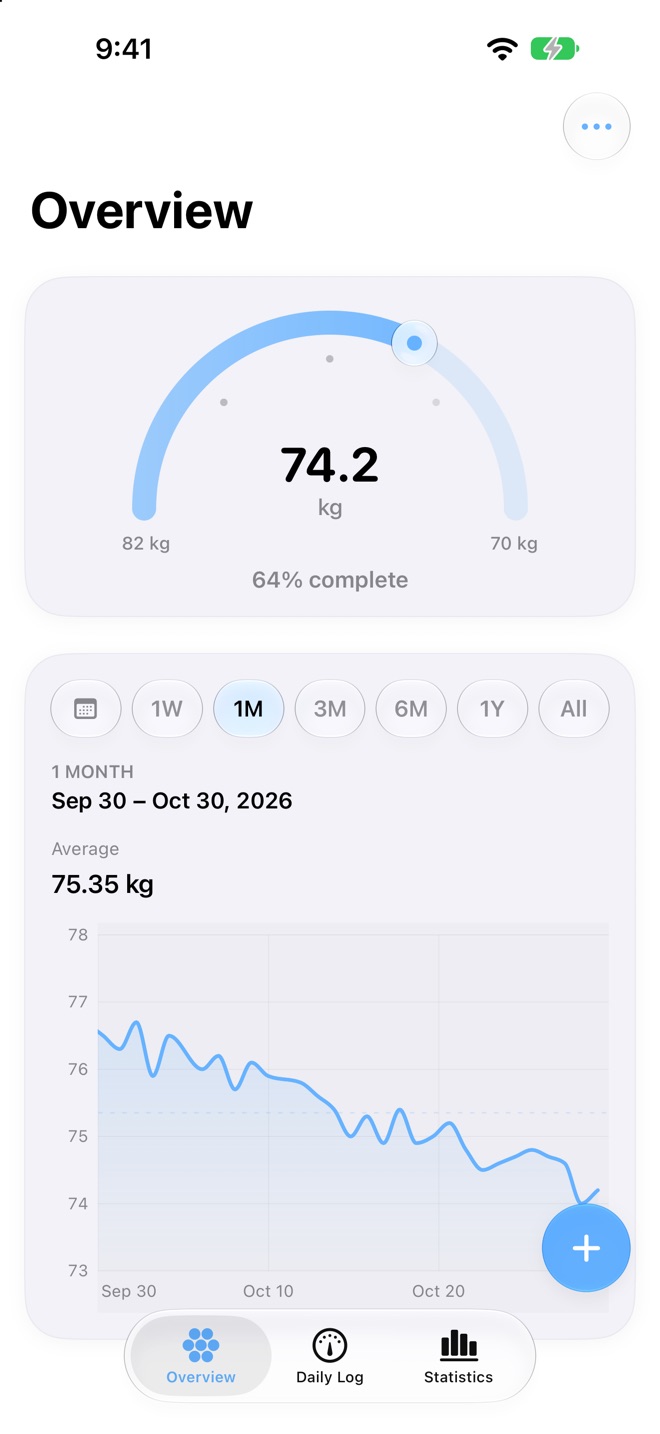
A progress card shows where you are between your start and goal weight, in the style you like best.
See your progress, not just a number.
OpenScale turns daily weigh-ins into clear trends, weekly averages and progress toward your goal, saved to Apple Health if you like and kept private.
Features
A progress card shows where you are between your start and goal weight, in the style you like best.
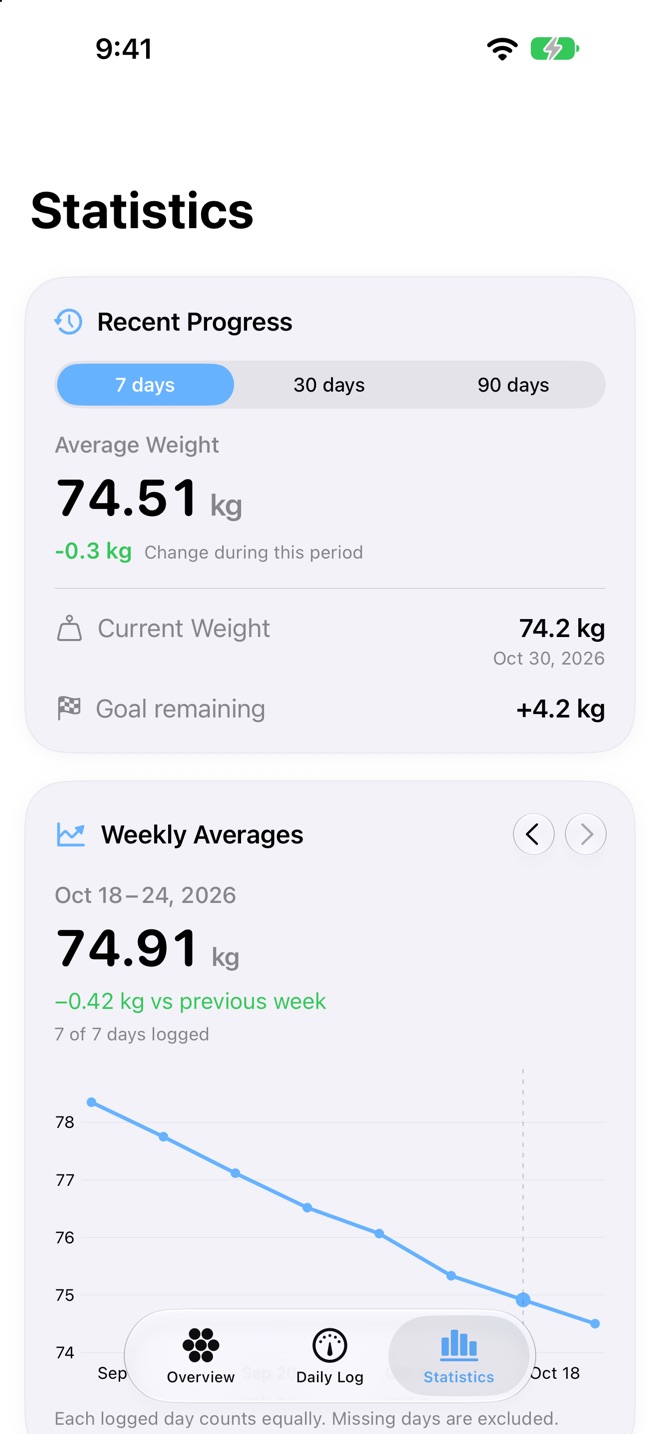
Weight and weight-change charts from one week to all time, with weekly averages that smooth out daily ups and downs.
Every entry can be saved to Apple Health, and is updated or removed there when you edit or delete it.
Log a weigh-in in seconds from a floating button or the bar above the tab bar, optionally with body fat.
Recent progress, goal statistics, all-time highs and lows, and a BMI card with its sources.
Import your history from another app and export it any time as a CSV file. In kilograms or pounds.
Take a look
Progress toward your goal, at a glance.
Recent progress and weekly averages.
Built in
6 actions for Siri and the Shortcuts app on iOS 27.
Privacy
App Privacy
Data Not Collected
CanB Apps does not collect any data from OpenScale. No accounts, no analytics, no advertising identifiers.
Questions
Can't find your answer? Write to us and you'll hear back from the people who build OpenScale.
Contact supportYes. Turn on Apple Health in Settings and every entry is written to Health, then updated or removed there when you edit or delete it.
Yes. Import a CSV file from another app, and export yours whenever you like.
Daily weight moves with water and food. Weekly averages show the real trend, so a single heavy morning doesn't throw you off.
No. Entries stay on your device, in Apple Health if you allow it, and in your private iCloud if you turn on sync.