Real blocking
Sites are blocked by Safari itself before they load, using Safari's content-blocking rules, not a page that's easy to dismiss.
Block the distractions. Keep the internet.
WebsiteBlock blocks or redirects the sites that steal your time in Safari, on a timer, on a weekly schedule or for good, on iPhone, iPad and Mac.
Features
Sites are blocked by Safari itself before they load, using Safari's content-blocking rules, not a page that's easy to dismiss.
Send a distracting site somewhere useful instead, like your notes or your to-do list.
Block a site for the next 30 minutes or the rest of the day. When the time is up, it opens again by itself.
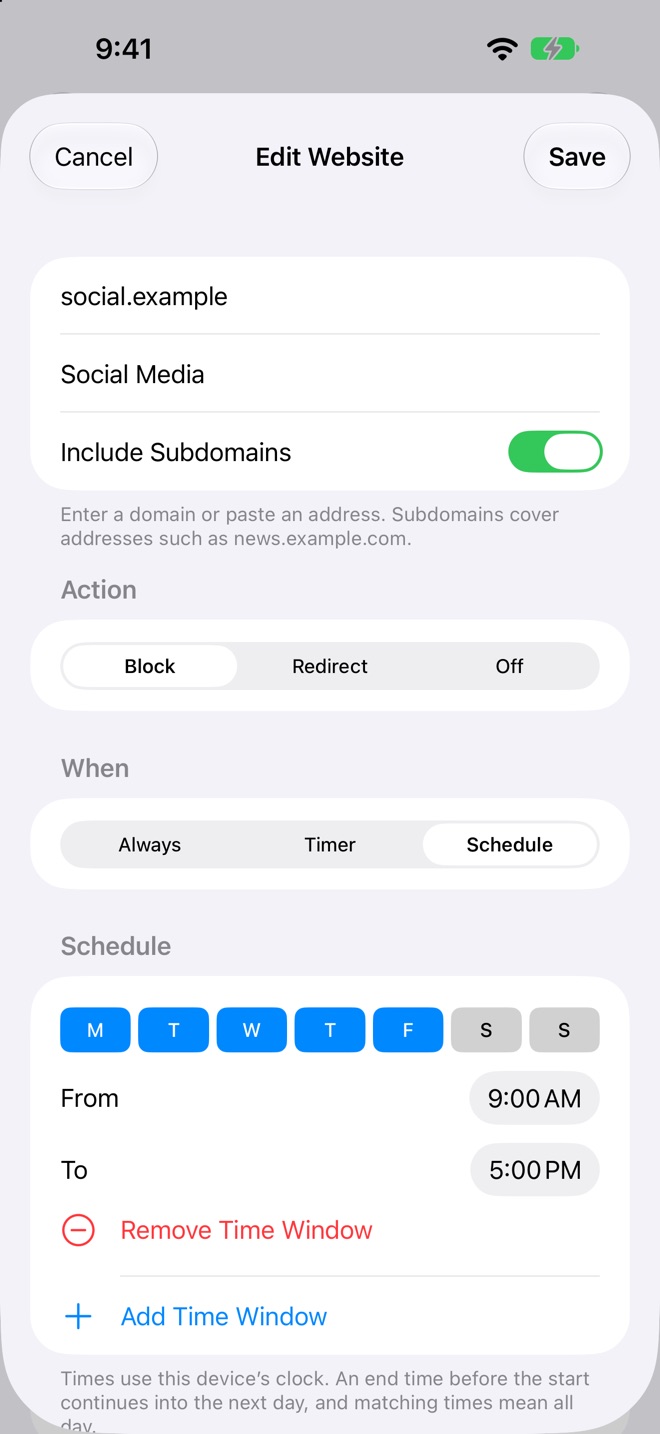
Block social media during work hours, news before breakfast or anything overnight. Schedules follow your time zone.
Choose whether a rule covers subdomains. The most specific rule wins, so you can allow one site and block the rest of its domain.
No browsing history, no analytics, no third-party code. The extension never reads the pages you visit.
Take a look
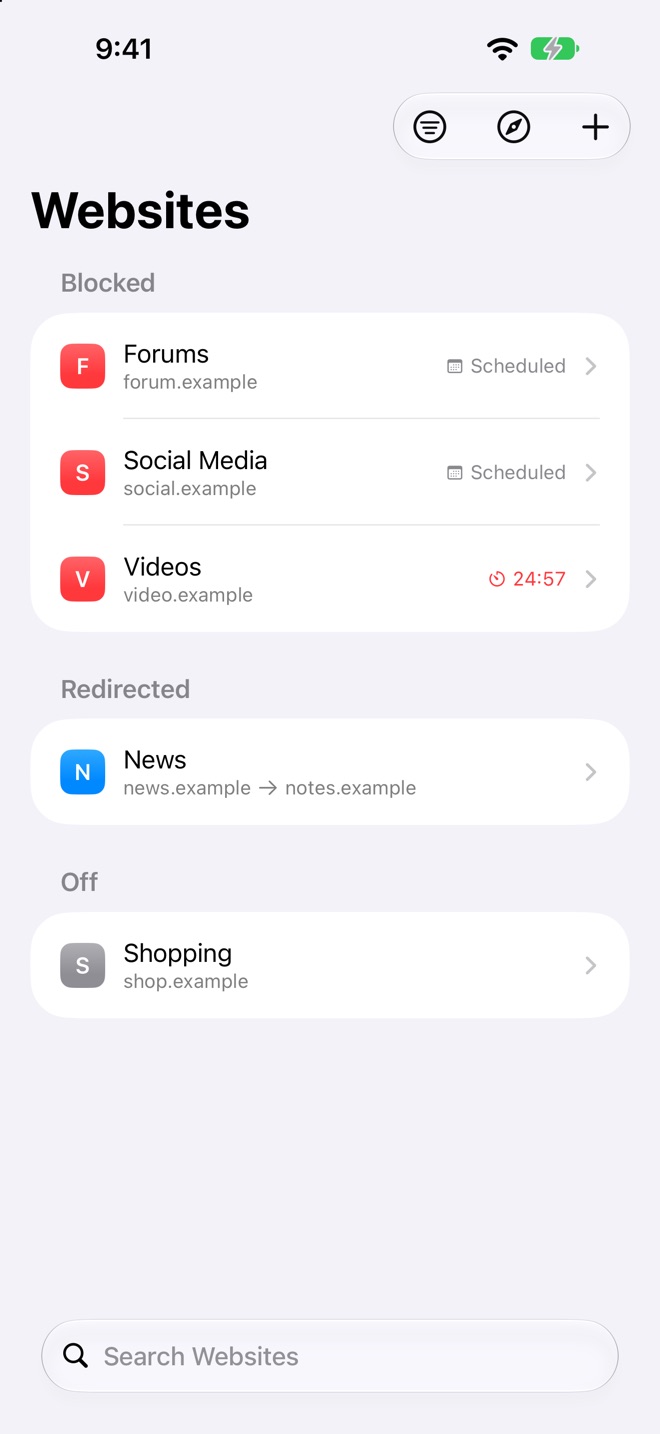
Every rule in one list.
Block on a schedule, a timer or for good.
Built in
Privacy
App Privacy
Data Not Collected
CanB Apps does not collect any data from WebsiteBlock. No accounts, no analytics, no advertising identifiers.
Questions
Can't find your answer? Write to us and you'll hear back from the people who build WebsiteBlock.
Contact supportNo. WebsiteBlock is a focus tool for Safari. Other browsers and apps are not affected.
Enable the WebsiteBlock extension in Safari's settings and allow it on all websites. The app walks you through each step on iPhone, iPad and Mac.
No. Blocking rules are handed to Safari, which applies them. WebsiteBlock never sees the pages you visit and keeps no history.
Very close. Safari decides when extensions run, so a change can take effect a moment later if Safari or the device was asleep.